

Customising the OpenGrid Desk Organiser Bin
The OpenGrid Desk Organiser is a versatile, modular storage system designed to keep your workspace tidy, flexible, and completely tailored to your everyday tools. Built upon the open standard OpenGrid mounting architecture, every bin, tray, and divider snaps securely into the base grid and can be rearranged whenever your workflow changes.
To make building your dream desk setup effortless, the OpenGrid Desk Organiser Bin Web Customiser lets you configure and generate custom-sized bins, compartments, and trays right in your browser—without needing CAD software.
In this guide, we'll walk through every parameter in the customiser, how to design bins for different desk essentials, and showcase real-world printed examples from the build.
1. Navigating the Web Customiser
When you open the OpenGrid Desk Organiser Bin Customiser, you are greeted with a responsive 3D viewport on the right and an intuitive parameter sidebar on the left.
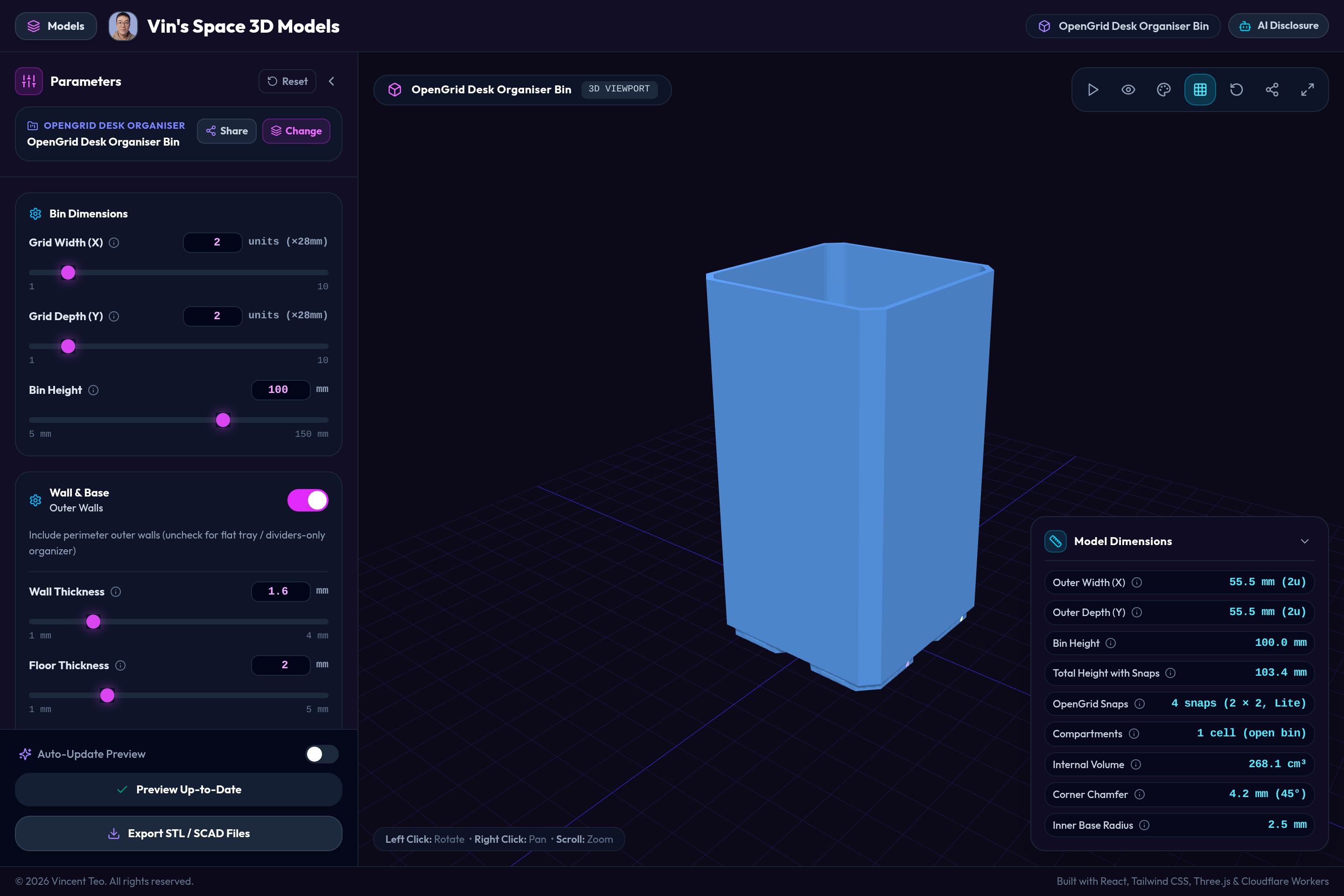
The customiser uses client-side WebAssembly (OpenSCAD WASM) to evaluate your geometry changes in real time. You can orbit, zoom, and pan around the model to inspect clearances, divider spacing, and chamfers before exporting.
2. Setting Bin Dimensions
The first panel controls the footprint and height of your organizer bin:
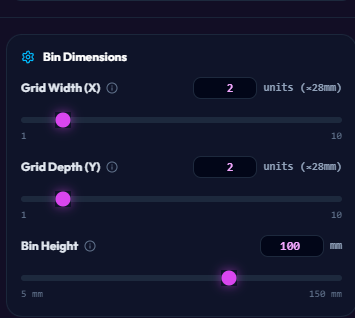
- Grid Width (X): The width of the bin measured in OpenGrid units (1 to 10 units). Each standard OpenGrid cell is approximately 28mm wide. For example, a
2unit bin spans roughly 56mm, while a5unit bin creates an expansive tray spanning 140mm. - Grid Depth (Y): The depth of the bin in OpenGrid units (1 to 10 units). A
1unit depth is ideal for narrow pen slots or post-it note docks, whereas2to4units work well for general stationery cups. - Bin Height: The total height in millimetres (ranging from 5mm up to 150mm).
- 5mm – 15mm: Perfect for low-profile catch-all trays, paperclip trays, and cutter/ruler rests.
- 40mm – 60mm: Great for sticky notes, erasers, small accessories, and USB drives.
- 90mm – 120mm: Ideal for pens, pencils, markers, and scissors.
3. Configuring Walls, Base & Tolerances
The Wall & Base settings give you fine control over shell structure, strength, and print speed:
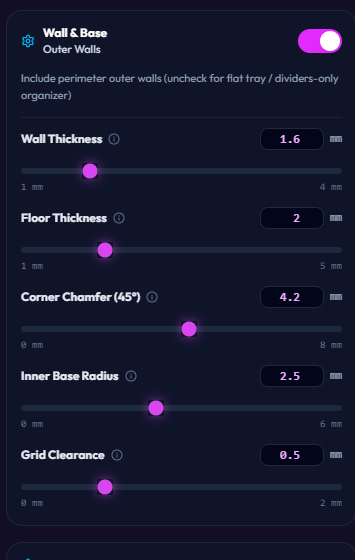
- Outer Walls Toggle: By default, perimeter outer walls are enabled. If you uncheck this toggle, the customiser will generate an open tray or dividers-only organizer—perfect for creating specialized inserts, card caddies, or shallow sorting trays.
- Wall Thickness (1.0mm – 4.0mm): Sets the perimeter wall thickness. A default of
1.6mm(4 perimeters with a 0.4mm nozzle) yields excellent rigidity and drop resistance while keeping print times fast. - Floor Thickness (1.0mm – 5.0mm): Controls the bottom floor solid thickness.
2.0mmprovides a solid, weighted feel. - Corner Chamfer (45°): Adds a clean 45-degree bevel along vertical exterior corners (0mm to 8mm). A value around
4.2mmcreates a smooth, comfortable hand feel and a cohesive aesthetic across all OpenGrid components. - Inner Base Radius (0mm – 6mm): Fillets the inside bottom corners. Adding an internal curve (
2.5mm) makes it effortless to scoop out small items like paperclips, SD cards, or erasers without them getting stuck in sharp 90-degree corners. - Grid Clearance (0mm – 2.0mm): Fine-tunes the clearance tolerance between the bin base and adjacent OpenGrid cells. The standard
0.5mmensures smooth insertion without binding.
4. Snap Base Selection & Internal Dividers
The next sections customize how the bin locks onto your grid and how internal space is segmented:
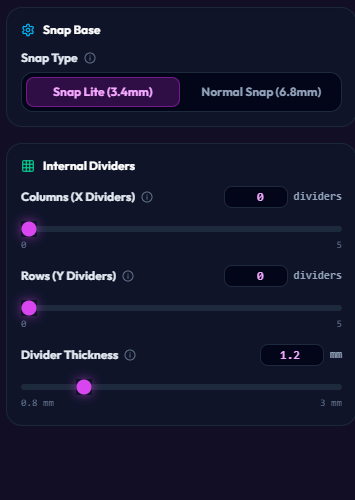
Snap Type
- Snap Lite (3.4mm): A low-profile snap mechanism that requires less filament and prints faster, while providing plenty of holding power for desktop use.
- Normal Snap (6.8mm): A deeper snap engagement for maximum stability—ideal for taller bins holding heavy items like pairs of metal shears or tools.
Internal Dividers
Segment the interior into separate compartments without needing external partitions:
- Columns (X Dividers): Add up to 5 vertical dividing walls along the X axis.
- Rows (Y Dividers): Add up to 5 dividing walls along the Y axis.
- Divider Thickness (0.8mm – 3.0mm): Customize divider rigidity. A setting of
1.2mmstrikes the perfect balance between internal space efficiency and strength.
5. Exporting STL & SCAD Files
Once you have dialed in your exact dimensions and compartment layouts, exporting is just one click:

- Export STL: Generates a clean, watertight 3D mesh ready to drag-and-drop straight into PrusaSlicer, Bambu Studio, OrcaSlicer, or QIDI Studio.
- Export SCAD: Generates the parametric OpenSCAD source script, allowing you to inspect the code, tweak equations, or perform batch exports locally.
The Printed Product: Modular Desk System in Action
Here is a look at the physical 3D printed setup, illustrating how the OpenGrid modular pieces snap together to create a cohesive desktop organization system:
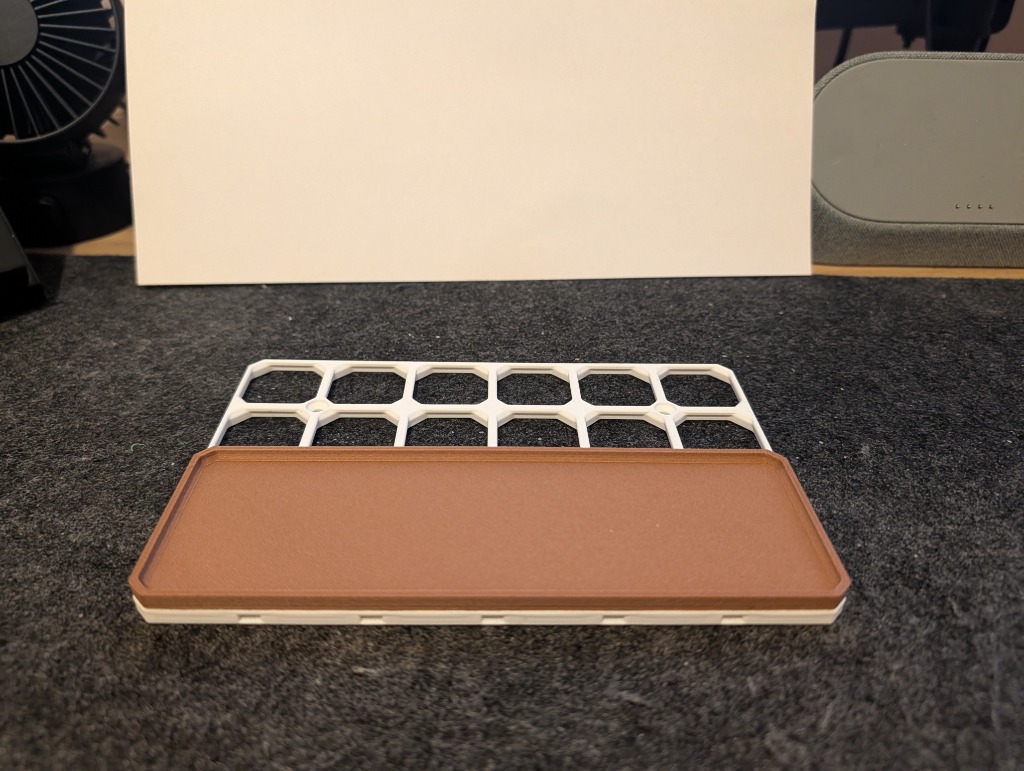
1. The Base Grid and Front Catch-All Tray
The foundation is an OpenGrid base plate printed in white, combined with a wide, low-profile front tray for pens, hobby knives, and erasers:
2. Adding Dedicated Pen & Marker Compartments
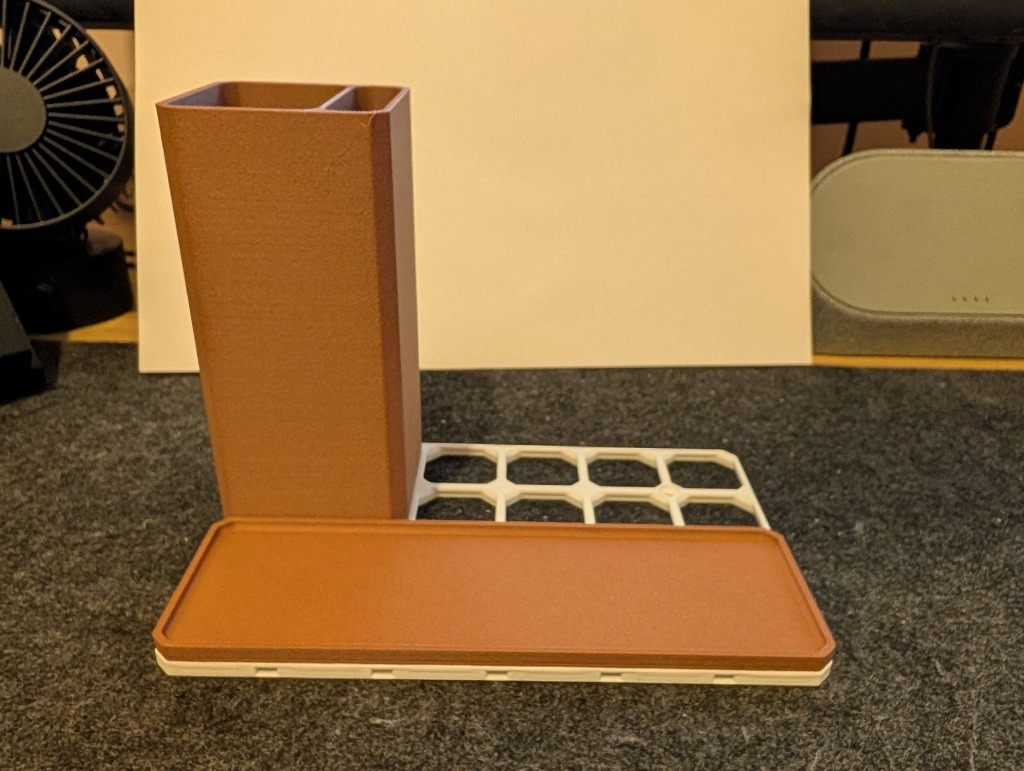
Next, a tall dual-compartment pen bin (generated with 1 column divider and a 100mm height) snaps into the left grid positions:
3. Modular Flexibility & Rearranging
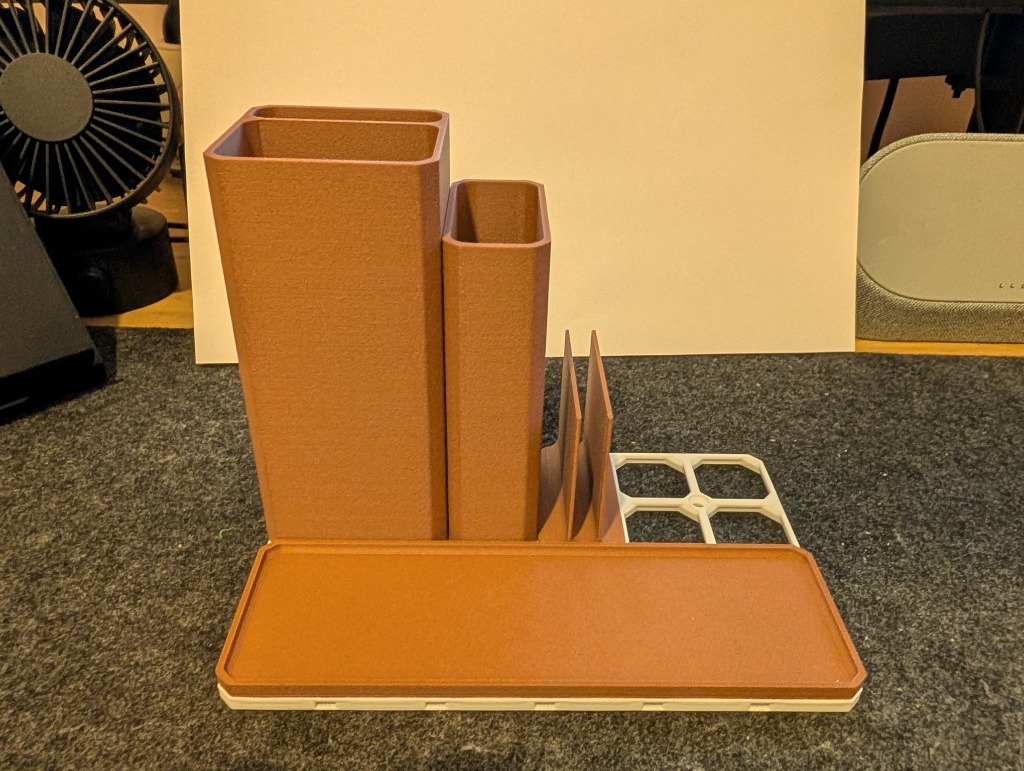
Because OpenGrid uses standard 28mm unit increments, you can leave open slots for future expansion or swap components on the fly:
4. Complete Assembled Layout
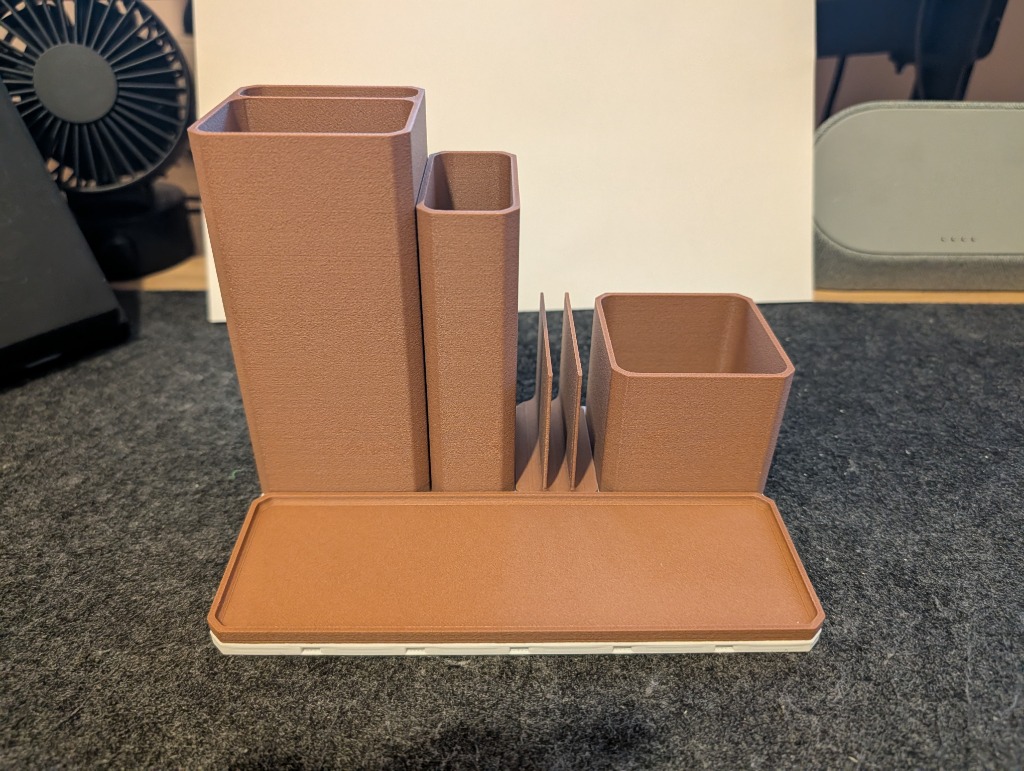
Here is the fully populated modular assembly featuring the front tray, tall pencil holder, narrow marker slot, post-it note slot divider, and medium square container:
5. Daily Desk Setup in Use
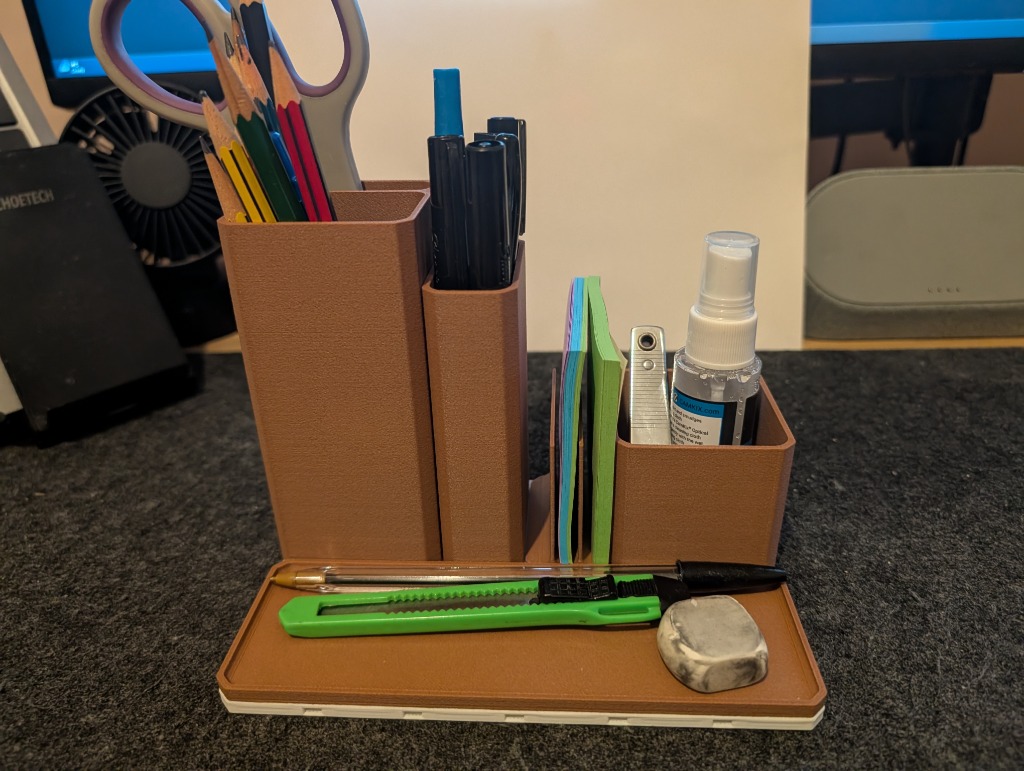
Loaded up with everyday stationery—scissors, pens, coloured pencils, markers, sticky notes, screen cleaner, hobby blade, and eraser:
3D Printing Recommendations
To get clean, snap-fit results:
- Material: PLA works wonderfully for desktop organizers due to its dimensional accuracy and crisp corners. If your desk receives direct sunlight or higher ambient heat, PETG is a great alternative.
- Layer Height:
0.20mmstandard layer height balances smooth curves with fast print speeds. - Perimeters / Walls: 3 to 4 perimeters (approx. 1.2mm – 1.6mm) give the bin walls sturdy vertical strength without needing high infill.
- Infill: 15% gyroid or grid infill is plenty for the base.
- Supports: Enable supports for the base. Supports are needed between the snaps and along the outer edge to guarantee crisp overhangs and accurate snap-fit tolerances. Organic/tree supports work great and come off cleanly.
Links & Community Models
Ready to start customizing and printing your own desk organizer? Check out the links below:
- Web Customiser: OpenGrid Desk Organiser Bin Customiser
- Printables: OpenGrid Desk Organiser on Printables
- QIDI Maker: OpenGrid Desk Organiser on QIDI Maker
Happy printing and organizing!